Showing posts with label Computers. Show all posts

Sunday, July 1, 2012

Dealing With Technological Stress

My friend Ivan calls it "technological stress." 

We live in a day and age where gadget use is inevitable. Broadband connection makes information exchange instantaneous. People are interconnected, thanks to social networking, computers and the ever-increasing use of mobile devices. The time we spend on websites like Facebook and Twitter has grown considerably the past few years. 

With this change in lifestyle, the virtual has an obvious effect on real life. 

For instance, I get easily pissed off when my internet connection conks out. Although it is a rare occurrence (PLDT My DSL is reliable enough), I get these mild withdrawal symptoms whenever it happens. A computer failure is even more stressful. Yes, I am a cheap skate. My being frugal (and at times, cash-strapped) has forced me to use obsolescent gadgets.

I bought my main PC second-hand three years ago. It is a cannibalized IBM ThinkCentre, originally manufactured back in 2003. Come to think of it, my motherboard is now approximately 9 years old! In terms of gadget age, my trusty old PC is a dinosaur. And yet, I've been prolonging purchasing a new machine for the longest time, opting to use my computer know-how to prolong its shelf life. 

Despite the occassional coughs and colds, my PC works like a charm. I'd have to put in new RAM chips, though, to ensure that it stays this way.

When it comes to my choice of cell phones, I follow the same, no-frills mantra. Instead of shelling out a good Php 15,000.00 for a savvy smartphone, I have opted to make do with my mom's hand-me-down Nokia 5130. I love the fact that it's lightweight. It also doubles as an mp3 player. I've been tempted to join the smartphone bandwagon many times. But a deeper reflection of my personal needs and wants always reiterates the foregone conclusion: I do not need 24/7 Facebook and Twitter connection. 

With my three blogs and active social networking presence, getting a smartphone might just be the last nail on the coffin of my social life!

Gadgets and the our oh-so-precious internet connection are bound to conk out once in a while. Perhaps the best - and cheapest - way to mitigate the effects of "technological stress" is to keep things simple.

Saturday, June 18, 2011

No Frills Computing

One thing I've learned from my practical father is to keep things simple. My dad has this straightforward, no-nonsense approach to life. He has zero tolerance for frills. You can see it in the cars he drive (reliable second hand cars), the mobile phone he uses (a featureless, low-end myPhone) and the clothes he wears (simple and comfortable outfits).

Despite my penchant for relatively good style (especially in terms of my sporting outfits!), I've fully embraced the good example of my old man. The no-nonsense, no-frills simple lifestyle is best seen my trusty desktop computer. Ever since I was a kid, I've always been fascinated with computers. My dad, being the strict disciplinarian that he is, provided me and my kid brother scant access to top-of-the-line computing and console technology. Hence, I had to innovate and make do with what I have. 

As late as 2008, I was stuck using an antiquated Panasonic Toughbook (700 mhz Celeron processor, 10 GB HD, 192 MB RAM). In this day and age, such specs are grossly inadequate. I could hardly surf the net without seeing my laptop slow to painful crawl. Thus, I found ways to cut the fat amidst all the bloatware programs. I opted to use old versions of programs like Mozilla Firefox, Winamp, Yahoo Messenger and Media Player Classic. Instead of using the newest versions of Windows and Microsoft Office, I settled with Windows XP and MS Office 2000.

Soon enough, I discovered the world of open-source software, where lightweight programs abound.

At the start of 2010, I bought a five-year IBM motherboard (P4, 2.0 GHZ, 2 GB RAM) from my techie cousin and assembled my first-ever home-built PC. It was a labor of love - the fruition of years worth tinkering with these gadgets. Despite a few bumps here and there, my trusty desktop has worked like a charm. The addition of a 1TB internal hard drive a few months back solved my burgeoning disk space problems. For the first time in years, I actually had a computer that could cope with today's basic requirements.
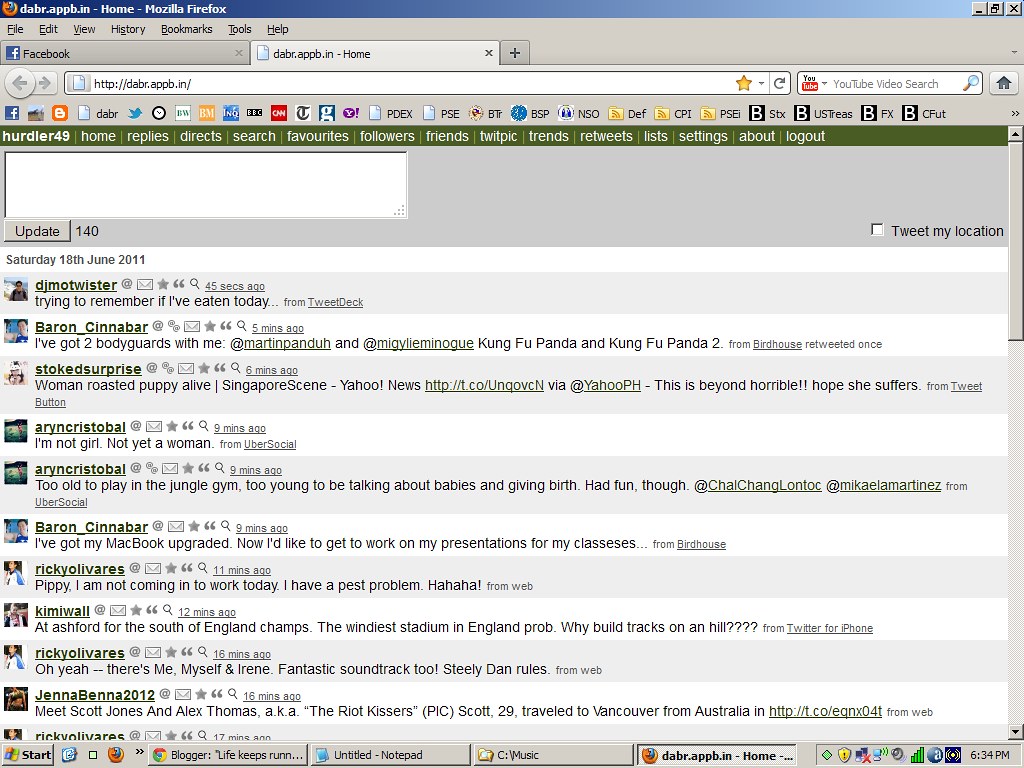
Dabr - a nifty Twitter client - running on Firefox 4
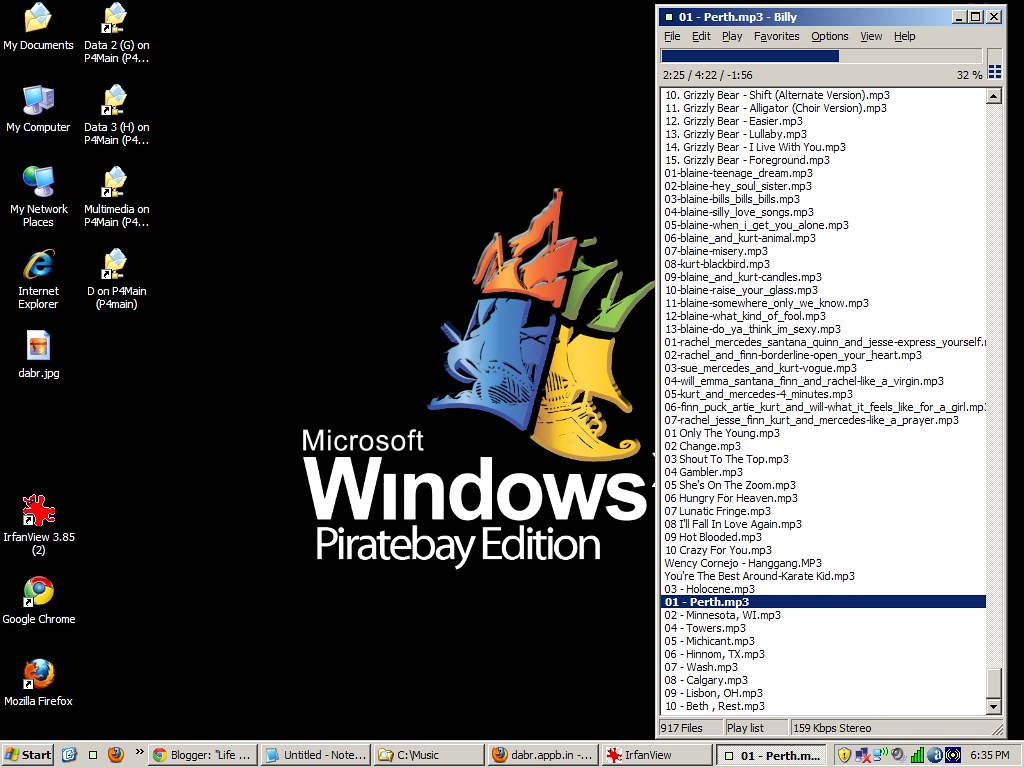
The advent of mobile internet use saw the emergence of vastly stripped-down versions of essential websites like Facebook and Twitter. For the no-frills power user that I am, this was god-sent. Nowadays, I hardly even use the slow, cumbersome Twitter homepage, opting for Dabr. I ocassionally use Facebook's mobile version, whenever my PC hobbles (my desktop is prone to this, since it obviously isn't top of the line). For my music experience, I use a lightweight, open-source music player called Billy which is a mere 500kb in size. Media Player Classic (from the K-lite codec) and VLC media player are my media players of choice.

Classic-looking XP SP3 running Billy.
To update my trusty 1GB 2nd Gen Ipod Shuffle, I use a nifty hack called iShuffle, where one can do away with the resource hog called iTunes. iShuffle enables the Shuffle owner to transfer music to and from the mp3 player like a good ole USB drive. Yes, I am a staunch Apple hater (except for the Shuffle, of course).

I tried using various versions of Linux the past few years, but I never did get the groove. Indeed, I'm a hardcore Windows user, preferring the familiar interface of the Microsoft product from the alien, command-based approach of Linux. Thus, I'm using a bootlegged self-installing copy of Windows XP SP3 (downloaded from Pirate Bay!). I did away with those fancy desktop themes and opted for a classic look, reminiscent of Windows 2000. I'll be shifting to Windows 7 when I've saved enough cash to buy a newer, more powerful machine.

Even then, I don't see myself upgrading to fancier software or ascribing to those wasteful desktop themes and skins.